
MEPHUB makes it easy to manage your jobsites and access job-specific information. Here’s how you can find and view jobs in the system:
✅ Step 1: Navigate to the Jobsites Page #
From the top navigation bar, click “Jobsites” to access your list of active jobs.
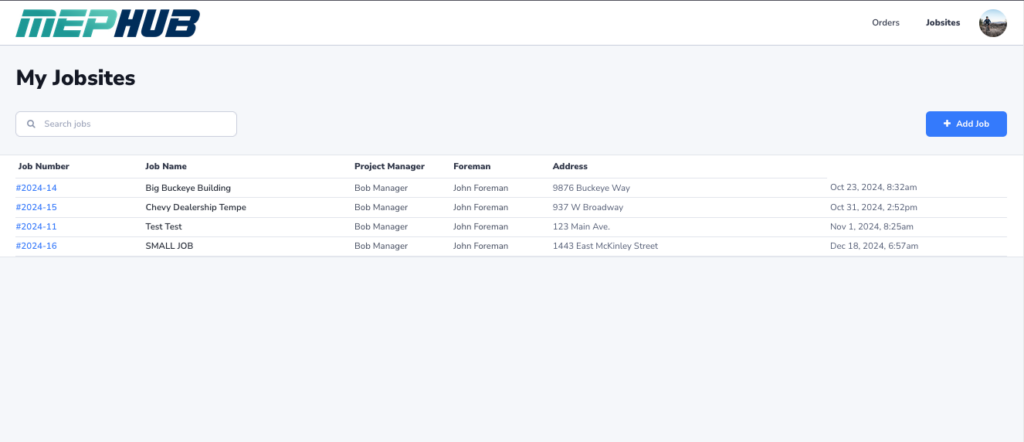
What You’ll See: #
- Job Number (clickable to view job details)
- Job Name
- Project Manager
- Foreman
- Address
- Created Date/Time
✅ Step 2: Use the Search Bar #
Quickly find the job you’re looking for by typing:
- Job Name
- Job Number
- Project Manager
- Foreman
- Address
As you type, the list will filter automatically.
✅ Step 3: Click on a Job to View Details #
Click the Job Number or Job Name to open the job’s detail page.

✅ What’s on the Job Detail Page? #
Once inside a job, you’ll see everything you need to know about that jobsite:
- 📍 Location Map
- 👷 Project Managers and Foreman
- 🔢 Bluestake and Tax Rate
- 🏗 General Contractor Details
- 📋 Orders List – All orders created for this job with status and due dates
- 🛠 Rentals Section – Active rentals tied to this job with status updates and links to the related orders
💡 Pro Tip: #
Use the Job Detail Page when you want to: ✅ See only orders specific to that job
✅ View rental equipment status on-site
✅ Review job contacts and delivery addresses