
Welcome to MEPHUB — let’s walk through how to sign in and reset your password if needed.
✅ How to Log In #
- Navigate to the MEPHUB Login Page.
- Enter your Email and Password.
- Click the Sign In button.
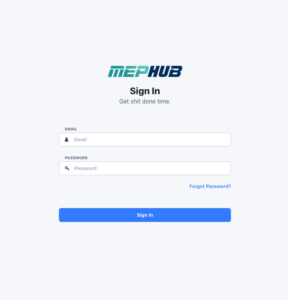
💡 Tip: Forgot your password? Click “Forgot Password?” to start the reset process.
🔄 How to Reset Your Password #
If you’ve forgotten your password, follow these simple steps:
Step 1: Access the Password Reset Page #
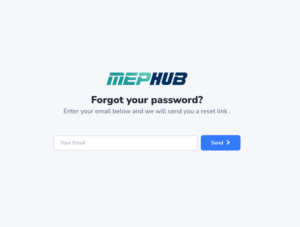
- From the Login screen, click “Forgot Password?”
- You’ll be directed to the reset request page.
Step 2: Submit Your Email #
- Enter your email address associated with your MEPHUB account.
- Click Send to receive the reset link.
Step 3: Email Confirmation #
- You’ll see the following confirmation message
- If your email exists in the system, you’ll receive a reset email within a minute.
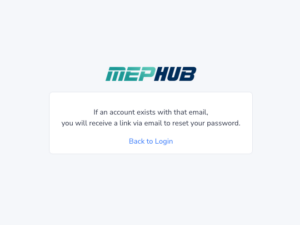
🔔 Note: Check your inbox for a password reset email and follow the link provided.
Step 4: Reset Your Password #
- After clicking the link in your email, you’ll land on the reset form.
- Enter your new password and confirm it.
- Click Set Password.

Step 5: Success Message #
- Once your password is reset, you’ll see the success message and automatically be logged in.
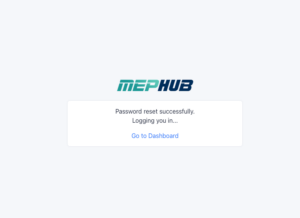
✅ Done! You can now access your MEPHUB dashboard.
🛠 Need More Help? #
If you run into any issues, please contact your Org Admin or reach out to support@mephub.com.